
Review ANYTHING

Any worksheet becomes a game.

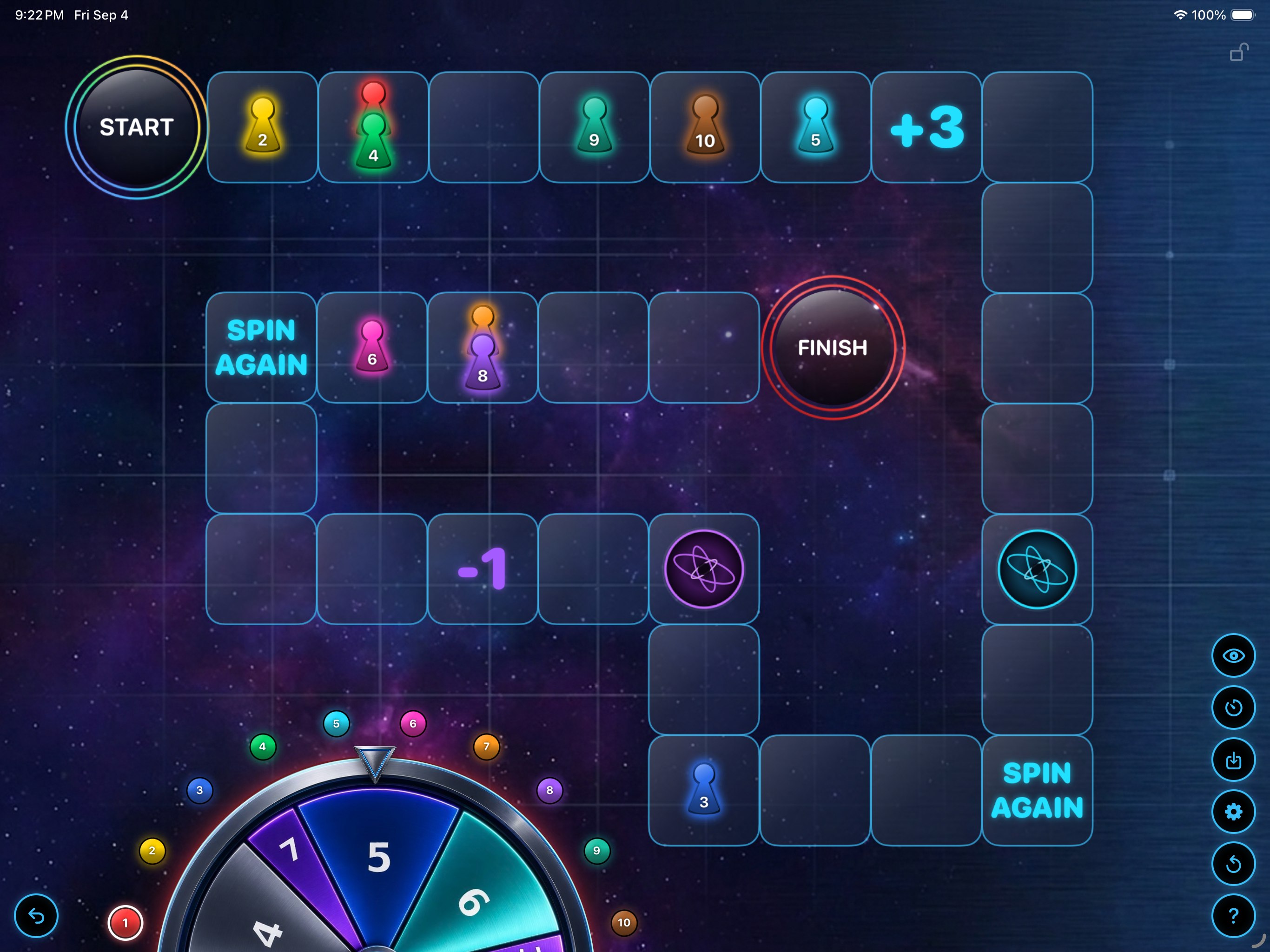
Review ANYTHING turns whatever your class is already practicing into a spinner-based board game — no prep, any subject.

Review ANYTHING app icon Review ANYTHING iPad & Mac · Educational Games
Review ANYTHING app screenshot

Any subject, no prep

Vocabulary, long division, history dates, Latin — bring what you're already teaching and play.

Solo or teams

One pawn per student, or share a piece as a team. Built for classes of any size.

Warp portals & chance tiles

The board keeps shuffling, so answering right matters more than being fastest.

Built for the real classroom.

It started with a whiteboard, a hand-drawn board game, and magnets for pawns — a teacher's answer to getting students genuinely excited about the practice they usually dodge.

A spinner and a race to the finish did what worksheets alone never could. So the game kept growing: warp portals, chance tiles, and a board that never plays out the same way twice.

  • Save a separate game for every class or period
  • Import and export saves to move between devices
  • Automatic or manual pawn movement
  • Scores live right on each piece
  • Lock the board instantly if things get chaotic
  • Undo an accidental spin in one tap
Review ANYTHING app icon

Need a hand?

Have a question, hit a bug, or want a feature added? Send a note — I read and answer every email myself.

Email Support
Can I use it on both my iPad and my Mac?

Yes — Review ANYTHING is a universal purchase. Buy it once and it's available on both.

Do I need an internet connection to play?

No — the game runs entirely on your device, so it works fine on a classroom iPad with no Wi‑Fi.

Does it come with built-in questions?

No — Review ANYTHING isn't tied to any one subject. Bring whatever worksheet or review set you're already using, and the board handles the rest.